Polycom 7000 Uživatelský manuál Strana 46
- Strana / 130
- Tabulka s obsahem
- ŘEŠENÍ PROBLÉMŮ
- KNIHY

- User Guide for the 1
- SoundStation 1
- IP 7000 Phone 1
- Trademark Information 2
- Patent Information 2
- About This Guide 3
- Contents 5
- Contents 7
- Parts List 10
- Installing the Phone 11
- 25-foot Network Cable 12
- Power Adapter 13
- Power Insertion Cable 13
- Network Cable 21
- HDX System 21
- To Networ 21
- Registering the Phone 22
- Before You Use Your Phone 22
- Features of the Phone 23
- Understanding Icons 26
- —Busy or On the phone 27
- —Offline 27
- Customizing Your Phone 31
- Updating Preferences 32
- Customizing Your Phone 33
- Updating the Display Contrast 36
- Updating the Ring Tone 38
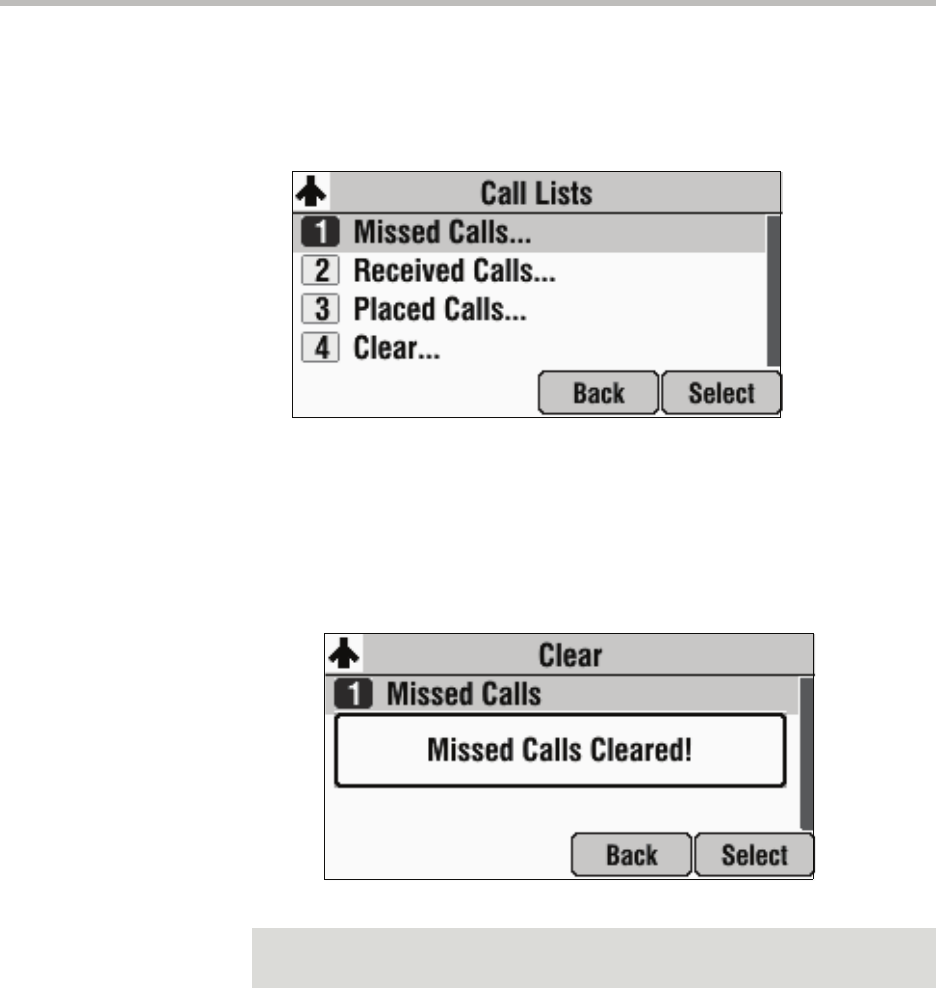
- Using Call Lists 44
- Viewing Call Lists 45
- Managing Call Lists 45
- Phone on page 4-26 46
- Managing Contacts 47
- Searching for Contacts 53
- Placing Calls to Contacts 57
- Managing Incoming Calls 58
- Diverting Calls 59
- Understanding Shared Lines 60
- Placing Calls 64
- Answering Calls 68
- Ending Calls 68
- Muting the Microphone 69
- Redialing Numbers 69
- Holding and Resuming Calls 70
- Hosting Conference Calls 71
- Managing Conferences 73
- Transferring Calls 78
- Performing a Blind Transfer 80
- Forwarding Calls 81
- Enabling Do Not Disturb 83
- Managing Speed Dial Entries 85
- Using Voice Mail 86
- >> 100
- Polycom HDX System 103
- Using Buddy Lists 106
- Selecting Contacts to Monitor 107
- Restarting the Phone 112
- To restart the phone: 113
- Troubleshooting Your Phone 115
- Installation Configuration 116
- Power and Startup 117
- Controls 118
- Access to Screens and Systems 119
- or when the 120
- Displays 121
- Testing Phone Hardware 121
- Safety Notices 123
- Safety Notices – 2 124
- Safety Notices 125
- Safety Notices – 3 125
- Safety Notices – 4 126
- Index – 1 127
- Index – 2 128
- Index – 3 129
- Index – 4 130
Související produkty a manuály pro Hardware Polycom 7000
 (30 stránky)
(150 stránky)
(2 stránky)
(40 stránky)
(2 stránky)
(147 stránky)
(8 stránky)
(2 stránky)
(250 stránky)
(30 stránky)
(150 stránky)
(2 stránky)
(40 stránky)
(2 stránky)
(147 stránky)
(8 stránky)
(2 stránky)
(250 stránky)
© 2020, manymanuals.cz. Všechna práva vyhrazena. | 0.033 s |
 Manymanuals.com
 Manymanuals.de
 Manymanuals.fr
 Manymanuals.it
 Manymanuals.pl
 Manymanuals.cz
 Manymanuals.es
 Manymanuals-pt.com
Komentáře k této Příručce