Polycom TM300 Uživatelský manuál Strana 5
- Strana / 15
- Tabulka s obsahem
- ŘEŠENÍ PROBLÉMŮ
- KNIHY

- User Guide 1
- Contents 2
- Introduction 3
- Parts List 3
- For Best Performance 3
- Installing VoiceStation™ 300 4
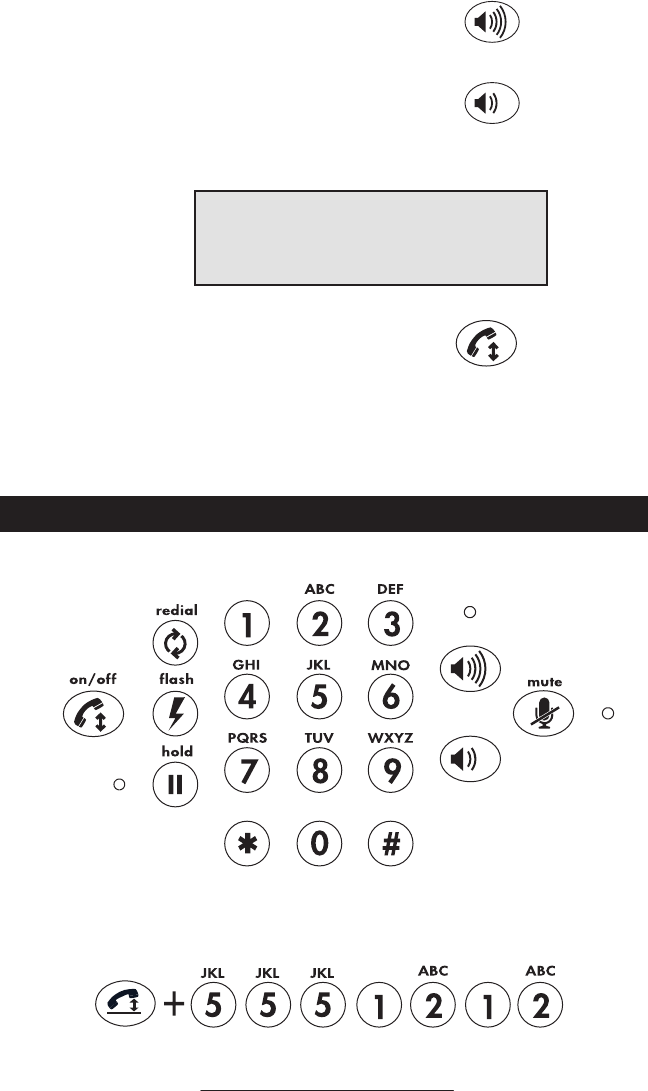
- Using VoiceStation™ 300 5
- VoiceStation™ 300 - 6 6
- Record a Conversation 7
- Private Conversations 7
- Maintenance 8
- Troubleshooting 8
- Polycom Limited Warranty 9
- Limitations of Liability 9
- FCC Rules 10
- Ring Equivalency Number (REN) 11
- Automatic Dialing 11
- Telephone Company Connector 11
- VoiceStation™ 300 - 12 12
- VoiceStation™ 300 - 13 13
- VoiceStation™ 300 - 14 14
- Facsimile: 408-526-9100 15
Související produkty a manuály pro ne Polycom TM300
 (2 stránky)


 (16 stránky)
 (20 stránky)
(2 stránky)
(20 stránky)
(2 stránky)
 (26 stránky)

 (1 stránky)
(4 stránky)
(2 stránky)
(1 stránky)
(45 stránky)
(23 stránky)
(1 stránky)
(4 stránky)
(2 stránky)
(1 stránky)
(45 stránky)
(23 stránky)
 (25 stránky)
(6 stránky)
(29 stránky)
(60 stránky)
(2 stránky)
(1 stránky)
(25 stránky)
(6 stránky)
(29 stránky)
(60 stránky)
(2 stránky)
(1 stránky)
© 2020, manymanuals.cz. Všechna práva vyhrazena. | 0.029 s |
 Manymanuals.com
 Manymanuals.de
 Manymanuals.fr
 Manymanuals.it
 Manymanuals.pl
 Manymanuals.cz
 Manymanuals.es
 Manymanuals-pt.com
Komentáře k této Příručce